

VTRONIX
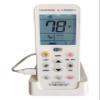
VTRONIX Q-380EW Universal Mini Split WiFi Compatible Remote with F or C Degrees Display, Full Weekly Programming of Mini Split Units and Remote Monitoring Through The Phone App
£61.01
£101.68
-
 Order within to get between
 -
 Tracked Shipping on All Orders
-
 14-Day Returns
- Secure Payments
-
 24/7 Customer Support
Description
- Displays SET temperature (displaying) in Fahrenheit degrees. Exclusively a Vtronix option! Can be switched from Celsius, slide the switch that is located to the right of the temperature display. Only reflects SET temperature- no room temperature!!
- Includes a bracket for mounting the remote on the wall (as opposed to the included table stand) for a better way to secure it (another exclusive Vtronix option!)
- WiFi remote control with easy setup, point to point quick brand search. WI-FI DOES NOT WORK IF NOT ON THE CHARGING BASE OR DIRECTLY PLUGGED IN.
- Allows for full weekly programming of your mini split unit. Typical AC remotes only provide a "one time" timer function.
- Easy app download on your iPhone or Android device. Follow APP configuration mentioned on the box to pair with your device and control your A/C with a mobile phone anytime, anywhere.
Download the app to your iPhone or Android phone. Insert the remote control in the power supply base or connect directly the power adapter and do not disconnect it. Check that the Wi Fi band your phone is connected to, and on which you are trying to add the device, is a 2.4GHz band. It will not operate on 5 Ghz. Once both checks are complete. Please follow the order of the steps below: Open the app on your device and sign on. The First screen should show Device List. Hit Add Device Next screen "Configure Device" offers 3 choices. Pick "AC Remote Controller". Next screen has the connection instructions outlined in the manual. Ignore these and hit "Next". On next screen "Configure Device". Select your Wi Fi router and enter the password. DO NOT HIT THE "CONFIGURATE" BUTTON AT THIS TIME! WITHOUT CLOSING THE APP, go to WLAN settings on your phone (where you see the Available Networks). Now, go to the remote control and press simultaneously on the LIGHT and SET Buttons, until 02 flashes on the screen. Release the buttons. After a few seconds, a Wi Fi symbol starts flashing on the bottom left of the controls screen. If it doesnt, repeat the previous step until it does. Go back to the phone and, under available networks, find the one called Chunghop_XXXX & connect to it. If you get a message telling you that Internet is not available on this hotspot, ignore it. If you are asked whether you want to switch to another network that does have internet, decline, and stay connected to "Chunghop_XXXX". Go back to the app on your phone and hit the CONFIGURATE button.You should get a message "Successful Connection". Initially, the device will briefly appear as Offline, and then after a few seconds as Online. You will now be able to control your A/C with the app!
Shipping and Returns
- We offer tracked shipping on all orders. Tracking information will be shared as soon as the order is dispatched.
- Please check the delivery estimate before adding a product to the cart. This is displayed for every product on the website.
- Available shipping methods and charges will be displayed at the time of checkout, depending on your exact location.
- All customers are entitled to a return window of 14 days, starting from the date of delivery of the product(s).
- Customers are advised to read our return policy for details of the return process, eligibility, refunds as well as cancellations or exchanges.
- In case of any issues or concerns about Shipping or Returns, please contact us and we will be happy to help.
VTRONIX.
VTRONIX Q-380EW Universal Mini Split WiFi Compatible Remo...
£61.01
£101.68